
- To access the Support Contract Analysis Portal, please use the URL provided below: -
- Once the page loads, you will be directed to the following landing page.
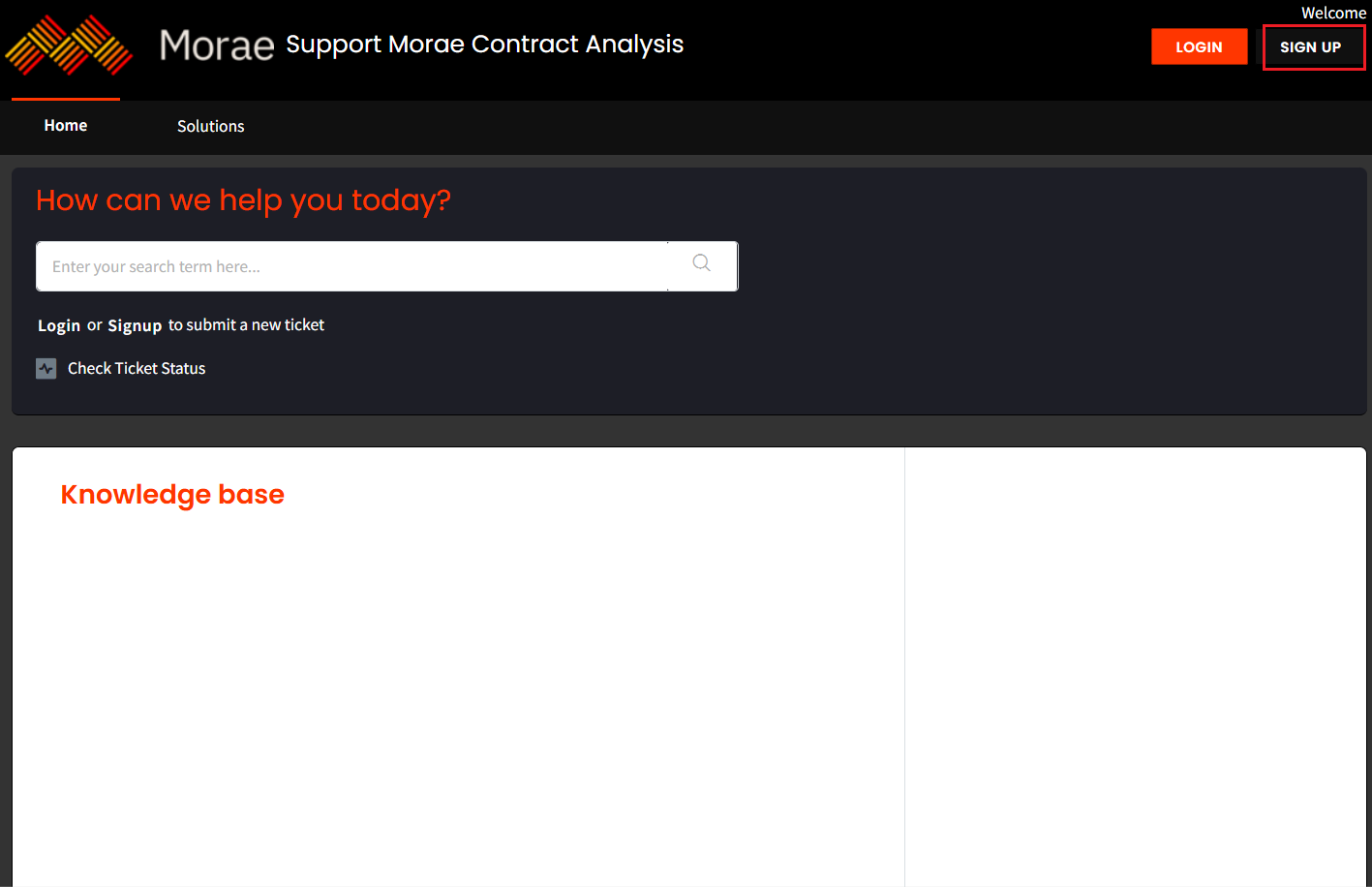
3. Click Sign Up to create a new account.
4. You will be directed to the following page: -
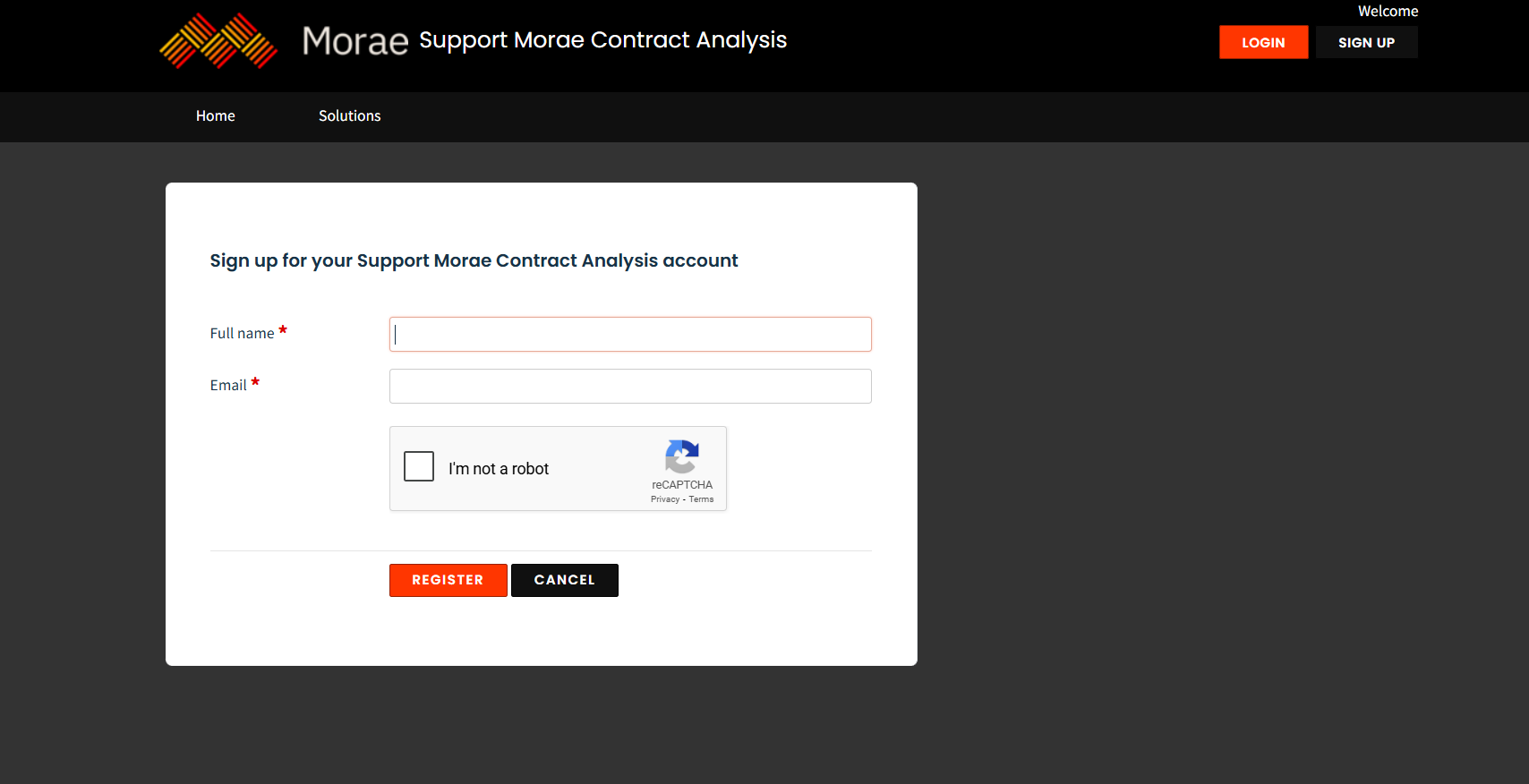
5. Enter your full name and email address, select the I am not a robot checkbox, and then click Register.
6. After clicking Register, an account activation email will be sent to your registered email address. Open the email and follow the instructions to activate your account.
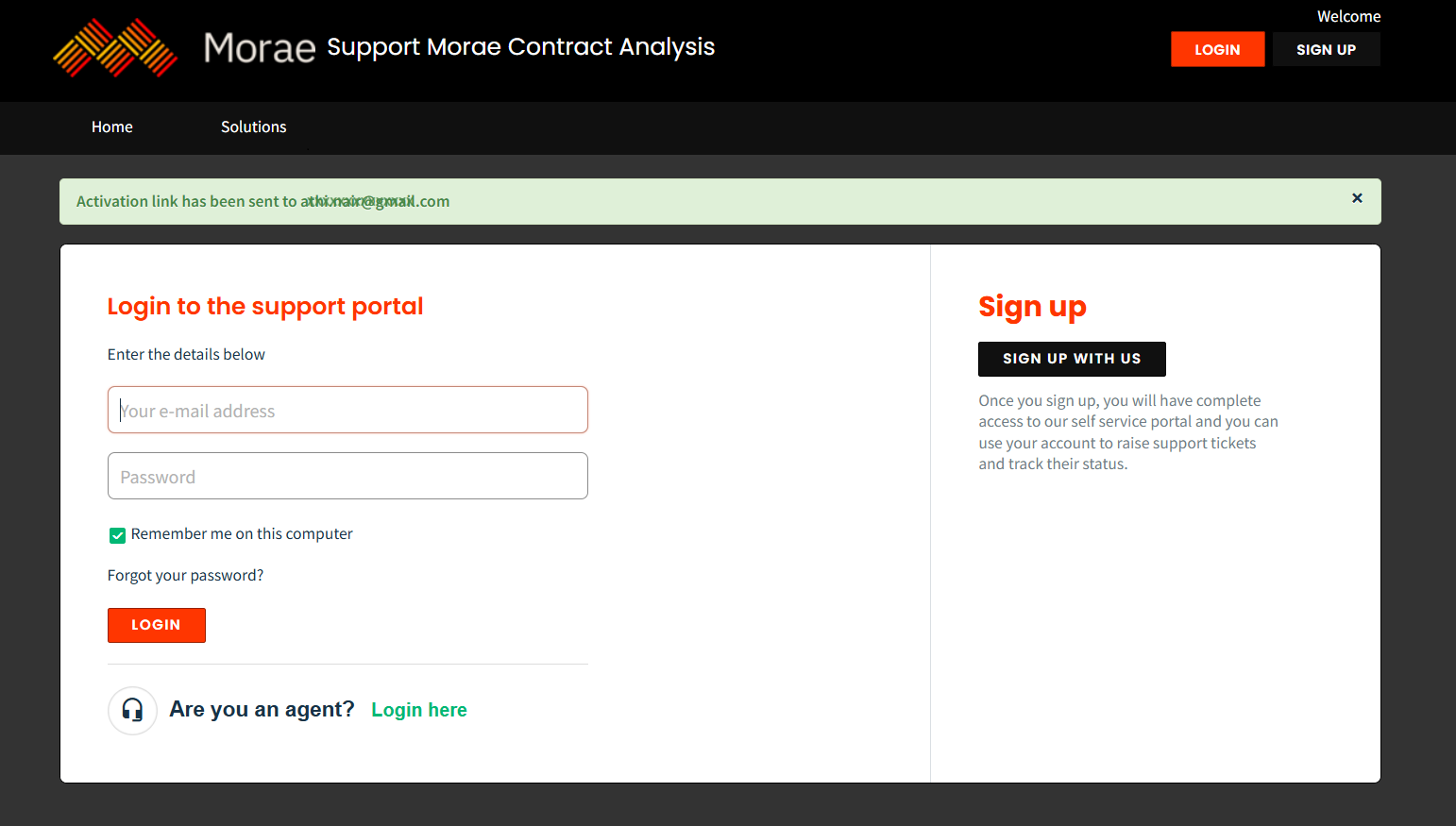
7. Check your registered email inbox for the activation email and follow the instructions provided to complete the account activation process.
8. Once your account is activated, you can log in to the Support Morae Contract Analysis.