
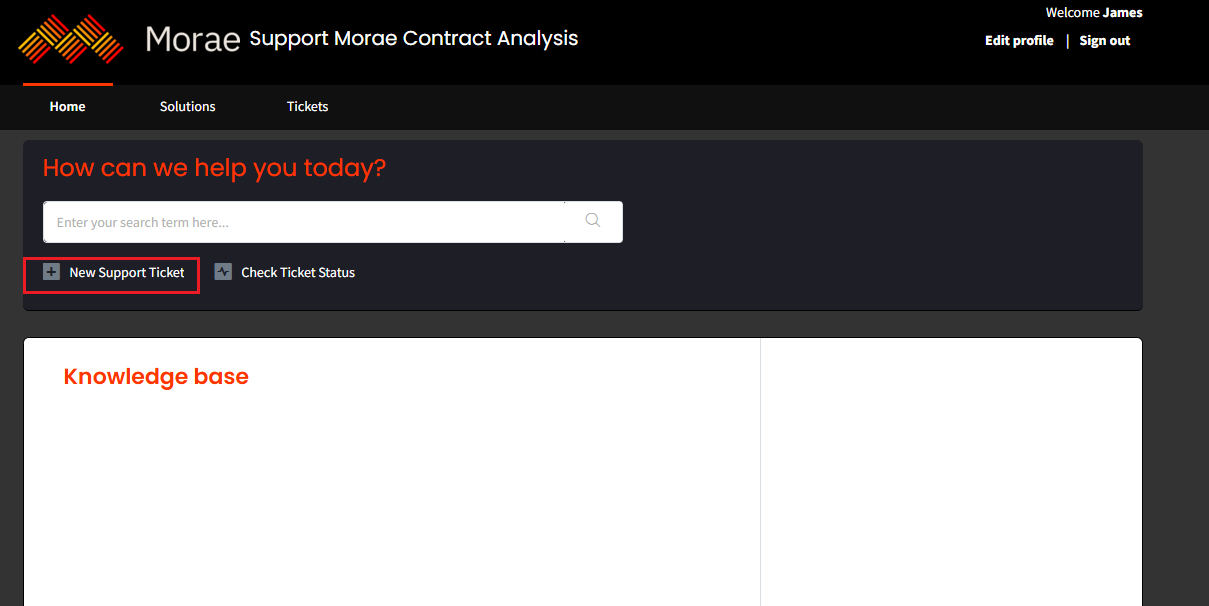
- After logging into the portal, please click on the “New Support Ticket” button as indicated below to proceed.
- After clicking on “New Support Ticket,” you will be directed to the following ticket submission form.
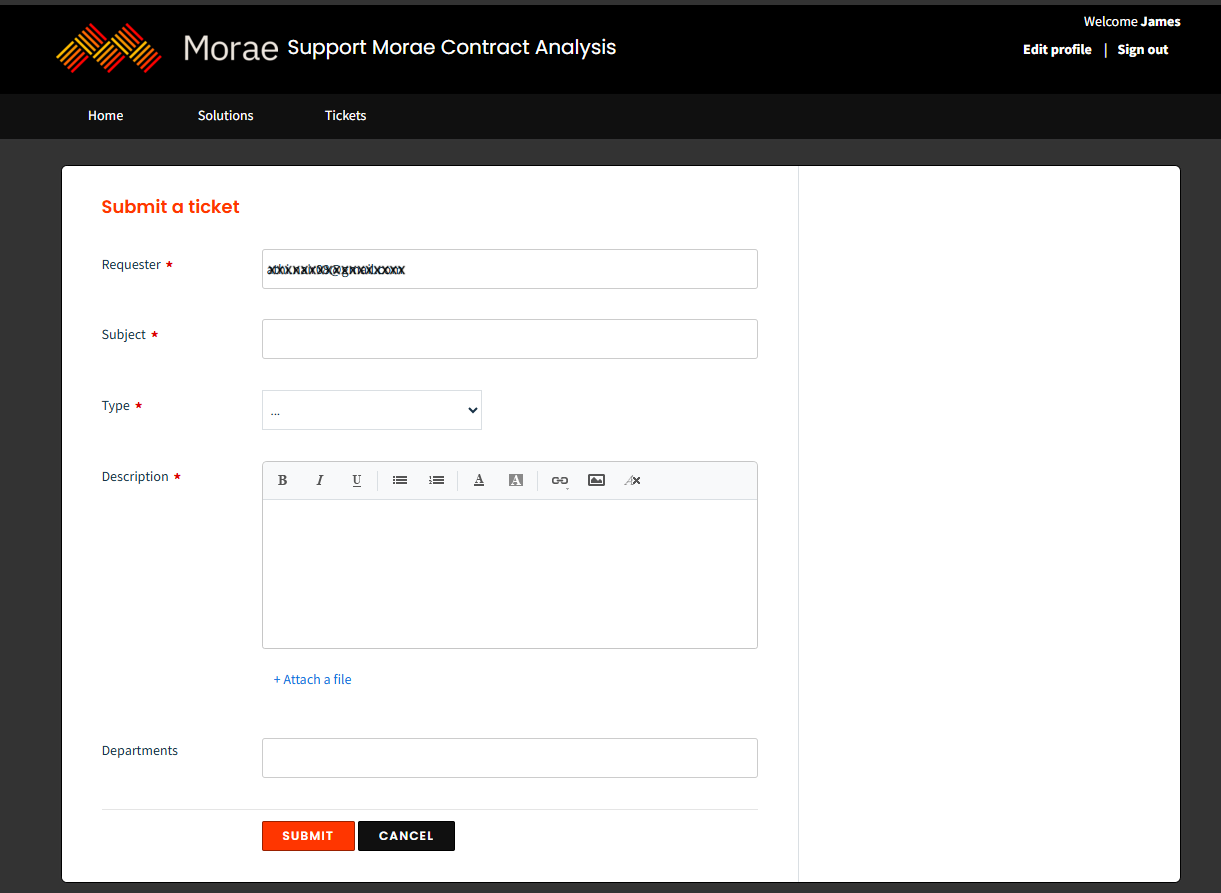
- The ticket form includes fields such as ‘Subject’ and ‘Description’ to capture the details of the issue you are experiencing. You can also provide additional information, such as the ‘Type’ of issue, and attach relevant files to support your request.
Type | Description |
Question | Any questions related to a platform can be tagged to this type |
Incident | Error/issue faced while using the platform can be tagged to this type |
Feature Request | Any feature request can be added under this type |
Request | Any request that a user wants to make regarding the platform can be tagged to this type |
- If Freshdesk contains any articles related to the issue you enter, it will suggest relevant solution articles as you type in the Subject field. This allows users to potentially resolve their issue without contacting the support team
- Once you click ‘Submit,’ your ticket will be created in the helpdesk, with the Source field automatically set to Portal.
- You will then be directed to the public ticket page, where you can monitor the ticket status, add replies, and include notes as needed.